The problem: critical files exposed to the whole world
Leftover .zip backups, SQL dumps accessible in one click, config files publicly readable… Every day, sites hosted in Algeria get hacked because of a mistake that takes 30 seconds to fix.If you run a WordPress site on web hosting in Algeria, this article is for you.
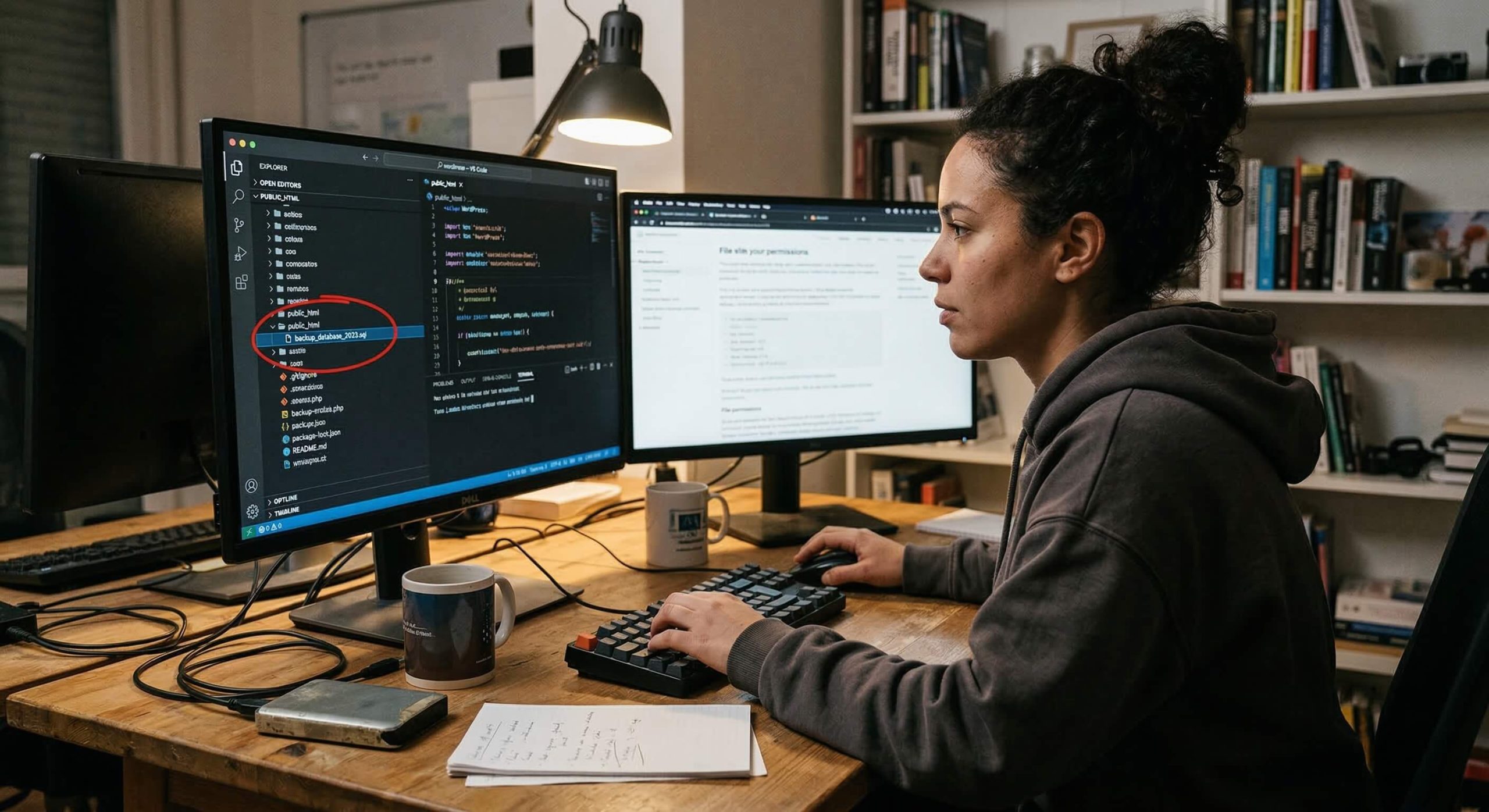
When you drop a file into the public_html folder of your web hosting, that file becomes accessible from a browser. That is the very principle of the web: everything in this directory is public by default.
The problem is that many users leave behind there — often without knowing it — files that have absolutely no business being there:
- Compressed archives:
backup.zip,site-2024.tar.gz,wordpress-backup.zip - Database dumps:
database.sql,backup.sql,db_export.sql.gz - Configuration files:
wp-config.php.bak,.env,config.old - Logs or temporary files:
debug.log,error_log,phpinfo.php
A hacker does not even need advanced skills. They just have to try common URLs such as
votresite.dz/backup.zip
or
votresite.dz/database.sql
— and if the file exists with the wrong permissions, they download it in one click.
644 permissions: what it really means
On Linux web hosting (which is the case for nearly all web hosting offers in Algeria, including at Hostarts), every file has permissions that define who can read, write or execute it.
The 644 permission means:
- The owner (you): read + write
- The group: read-only
- Everyone: read-only
For a PHP or HTML file in
public_html
, this is the standard and correct permission. But for a file such as
backup.sql
or
site-complet.zip
, the 644 permission in
public_html
means that
anyone on the Internet can download it. The web server (Apache, LiteSpeed, Nginx) serves the file like any other page of your site.
The concrete consequences of an exposed sensitive file
Complete theft of your database
A SQL dump contains
everything: administrator credentials (hashed passwords, sometimes in plain text on older WordPress versions), your customers' emails, WooCommerce orders, personal data. If you are subject to Algerian Law 18-07 on personal data protection, this is a direct violation.
Total takeover of the site
An exposed
wp-config.php.bak
or
.env
file gives the attacker your MySQL database login credentials, your WordPress authentication keys (AUTH_KEY, SECURE_AUTH_KEY…), and potentially access to third-party services (SMTP, payment APIs).
With this information, an attacker can connect directly to your database, create an administrator account, and take complete control of your WordPress.
Malware injection and blacklisting
Once the site is compromised, the attacker usually injects malicious code into it: redirects to fraudulent sites, phishing pages, cryptocurrency mining scripts. Google eventually detects the problem and
blacklists your domain— your site then displays a red “This site is dangerous” warning in search results. Recovering a clean reputation after that takes weeks, sometimes months.
Compromise of the entire server
On shared hosting, a compromised site can potentially affect the other sites in the same cPanel account. An archive containing an old, vulnerable version of WordPress can serve as an entry point to climb up the directory tree.
How to fix the problem
1. Never store a backup in public_html
This is rule number one. Your backups have no business being in the web directory. On cPanel hosting like that offered by Hostarts, store your backups:
- In the home directory (
/home/username/), outsidepublic_html - In a dedicated directory such as
/home/username/backups/ - Or better still: on external storage (remote FTP, cloud solution)
2. Check the permissions of your critical files
For files that must stay on the server (such as
wp-config.php
) :
chmod 600 wp-config.php
chmod 600 .htaccess
The
600permission means: only the owner can read and write. No one else — neither the group nor the public.
3. Block access to sensitive files via .htaccess
Add these rules to your
.htaccess
file at the root of
public_html
:
# Bloquer l'accès aux fichiers sensibles
<FilesMatch "\.(sql|sql\.gz|zip|tar|tar\.gz|gz|bak|old|log|env|bck)$">
    Order Allow,Deny
    Deny from all
</FilesMatch>
# Protéger wp-config.php
<Files wp-config.php>
    Order Allow,Deny
    Deny from all
</Files>
# Bloquer l'accès aux fichiers cachés (.env, .git, etc.)
<FilesMatch "^\.">
    Order Allow,Deny
    Deny from all
</FilesMatch>
Even if a sensitive file ends up by mistake in
public_html
, this protection will prevent it from being downloaded.
4. Delete unnecessary files
Clean up your hosting regularly:
- Delete old manual backups
- Delete test
phpinfo.phpfiles - Delete copies of
wp-config.php(.bak,.old,.save) - Delete WordPress
debug.logfiles (inwp-content/) - Delete abandoned WordPress installations in subfolders
5. Use the built-in backup tools
At Hostarts, your web hosting includes automated backup tools via cPanel (JetBackup or native cPanel backup). Use these tools rather than creating manual archives in
public_html
. Backups generated by cPanel are stored securely, outside the public web directory.
Quick security checklist for your WordPress
Take 10 minutes to check these points on your hosting:
- ☐ No
.zip,.tar.gzor.sqlfiles inpublic_html - ☐
wp-config.phpset to permission 600 (and no.bakcopy) - ☐
.htaccessrules in place to block sensitive extensions - ☐ No accessible
phpinfo.phpfile - ☐ No
debug.loginwp-content/ - ☐ No forgotten test WordPress installation in a subfolder
- ☐ Backups stored outside
public_htmlor on remote storage
In summary
The security of a WordPress site does not rely solely on plugins or firewalls. It starts with
basic good practices: not exposing sensitive files, setting the right permissions, and regularly cleaning up your hosting space.
If you are looking for web hosting in Algeria that takes security seriously, with responsive technical support able to guide you on these topics, discover the Hostarts web hosting plans at hostarts.dz.
Not sure about the security of your site? Contact Hostarts support — we will check it with you.